← Back to Blog

Whisprinote vs Noteey | Visual Note taking apps

By WhispriNote Team
November 28, 2025
6 min read
Whisprinote vs Noteey | Visual Note taking apps
WhispriNote
Try WhispriNote free
Paste a YouTube link to turn any lecture or tutorial into clean, structured study notes.

I spent the past two weeks testing two visual note-taking apps: Noteey and WhispriNote. I tried lectures, tutorials, audio recordings, and imported videos - exploring all features of both tools. Here is what I found.

Taking notes used to mean pausing frequently, writing manually, and organizing ideas by hand. Now, AI and smart interfaces do the heavy lifting. These apps transcribe content, generate summaries, and create visual diagrams or organized canvases. Some even let you interact with your notes. Here's how Noteey and WhispriNote stack up against each other.

WhispriNote

WhispriNote converts spoken content into clean, structured notes. It works with voice recordings, uploaded audio, and YouTube videos. It also generates flowcharts, mind maps, and timelines automatically.

Cross-Platform Access: Available on iOS, Android, and the web.
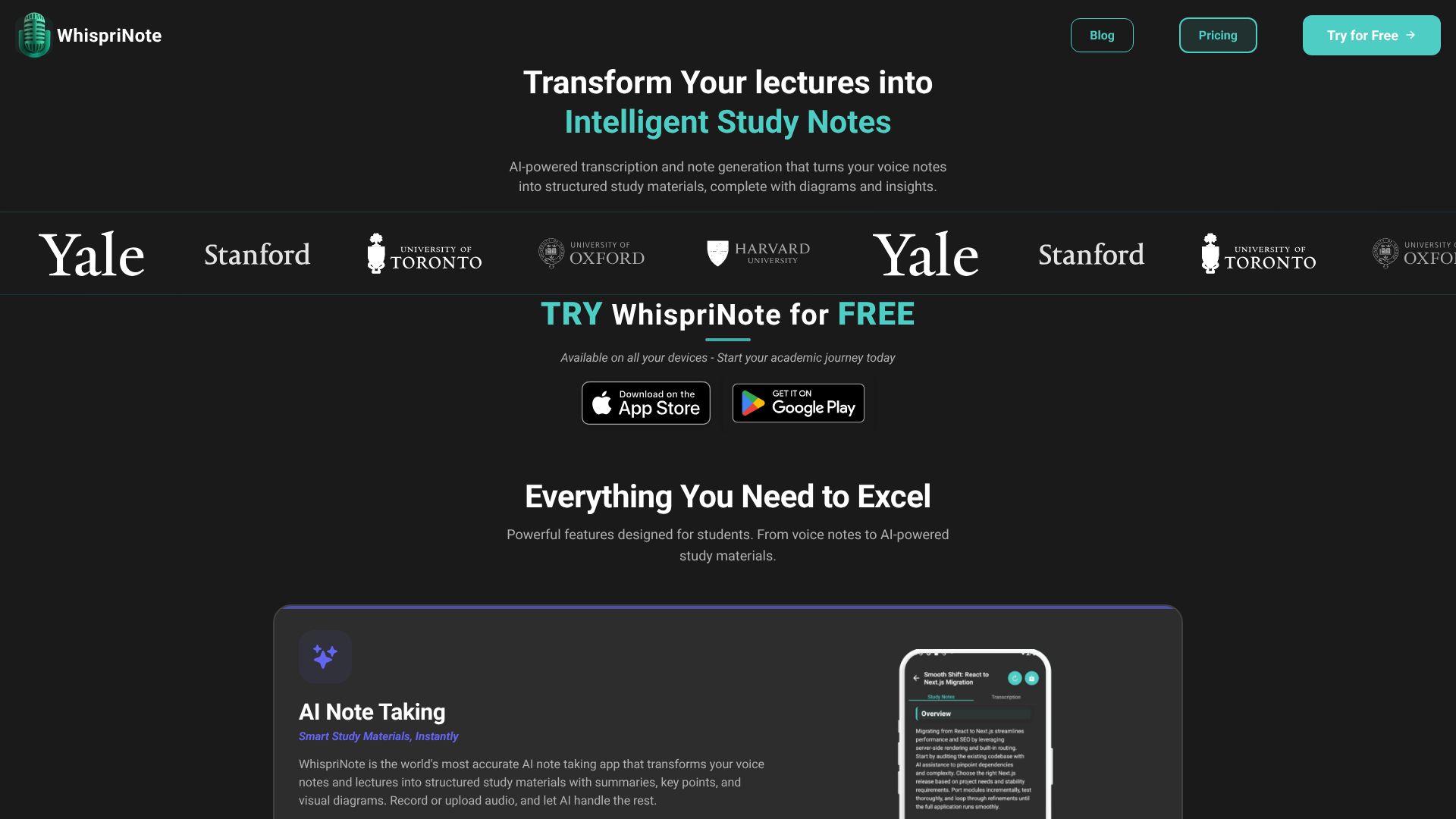
WhispriNote app interface showing AI-generated notes and visual diagrams

Features

Here is what makes WhispriNote stand out.

  • Context-Aware Notes: It generates fast, accurate, and structured notes. You record once and get organized content with summaries, action items, and searchable sections.

  • Talk to Your Notes: You can use interactive voice chat to ask questions about past recordings. It provides answers, context, and suggestions instantly.

  • Multi-Format Export: You can export content as PDFs with text and diagrams. This makes it easy to share or archive.

  • Privacy Focused: It follows a privacy-first approach. Data is encrypted, and recordings stay on your device unless you choose otherwise.

  • Visual Learning Aids: It creates mind maps, flowcharts, and timelines even for YouTube videos. Most tools only produce text, but WhispriNote helps you see how concepts connect.
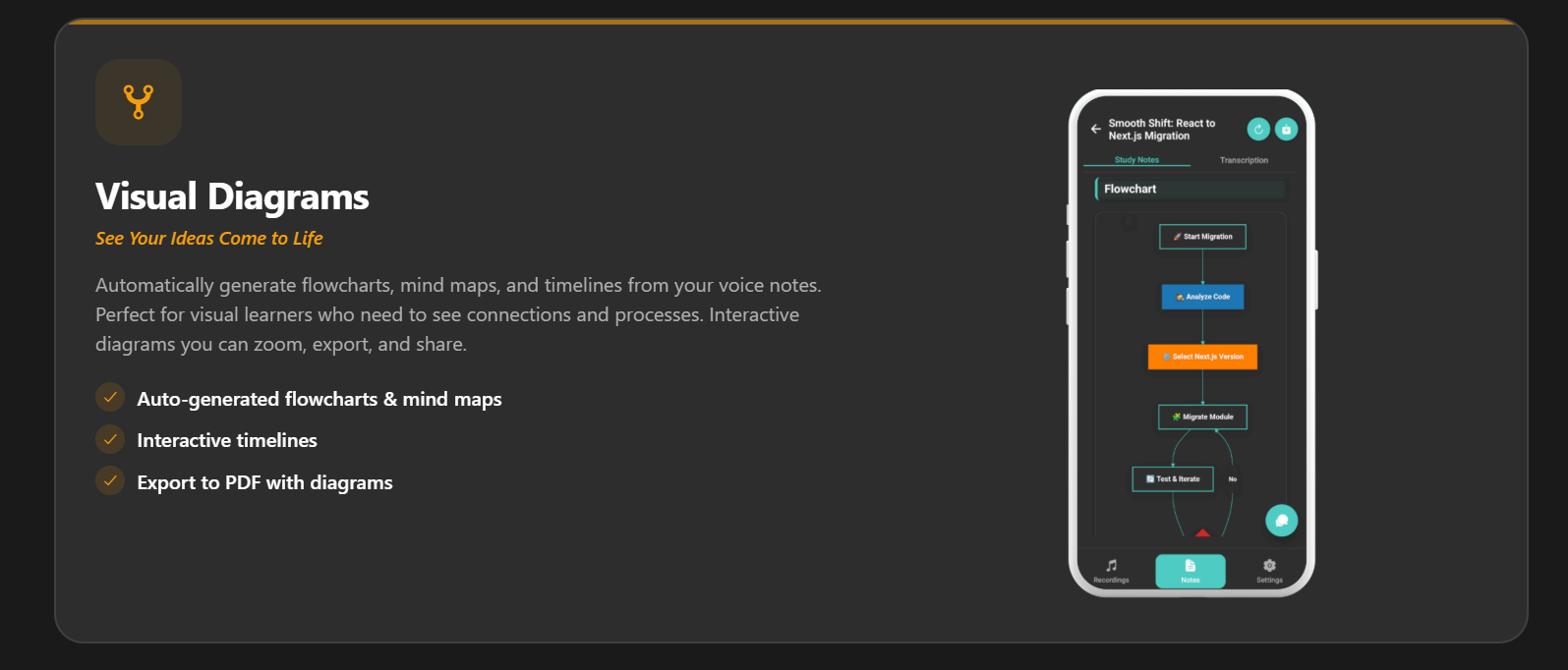
    WhispriNote app interface showing AI-generated notes and visual diagrams
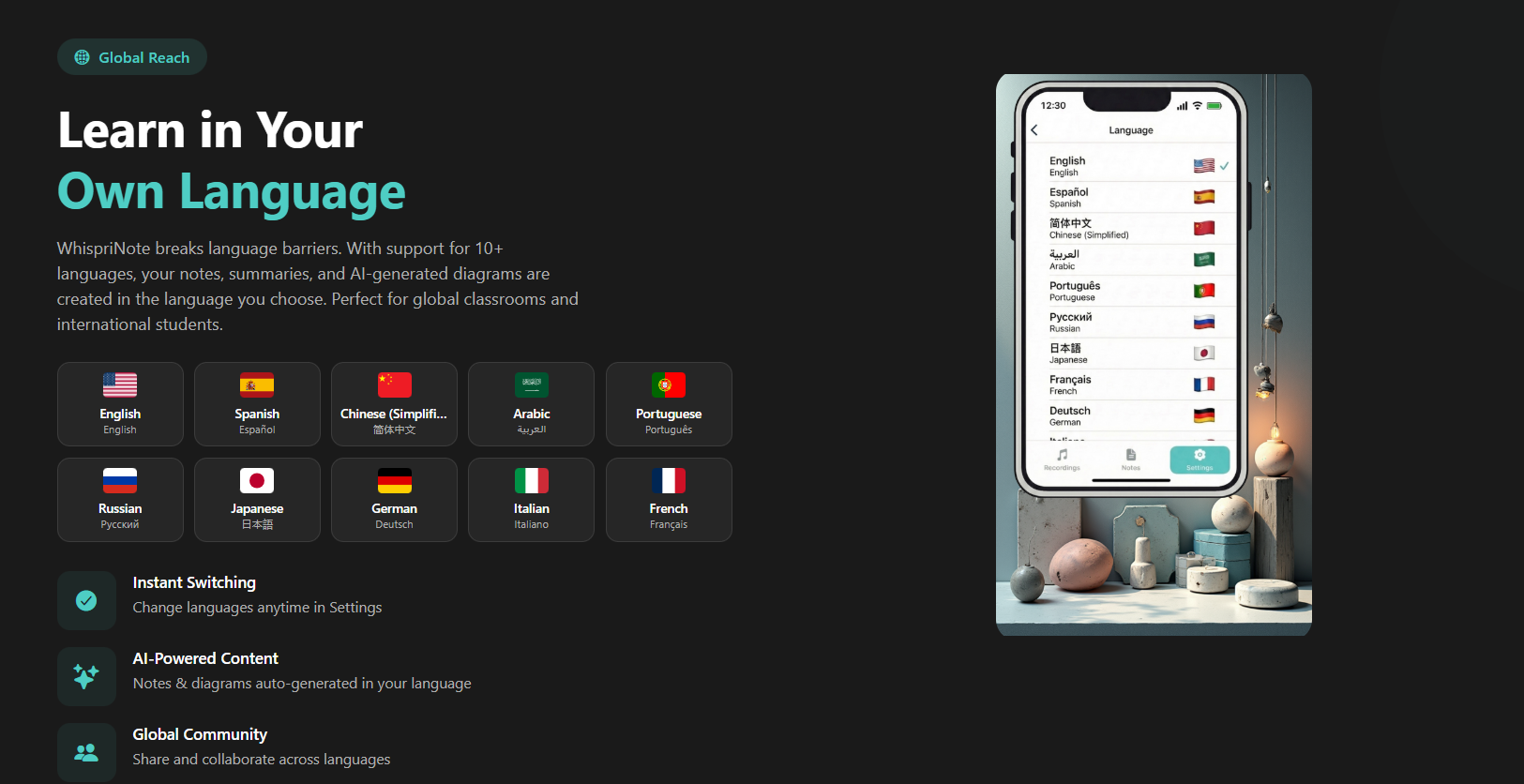
  • Language Support: WhispriNote now supports 10+ languages, making it ideal for global learners.

Supported Languages include:

  • English
  • Spanish (Español)
  • Chinese (Simplified)
  • Arabic (العربية)
  • Portuguese (Português)
  • Russian (Русский)
  • Japanese (日本語)
  • German (Deutsch)
  • Italian (Italiano)
  • French (Français)
WhispriNote Multilingual Support

User Reviews

⭐⭐⭐⭐⭐ "The speed and quality of voice recognition is cool."

  • Aaryan

⭐⭐⭐⭐⭐ "YouTube integration helps me turn any programming tutorial into clear notes. It picks up technical content with no trouble."

  • Alex K, Computer Science

⭐⭐⭐⭐⭐ "The visual diagrams help me understand tough psychology topics. Mind maps and timelines make studying easier."

  • Lisa T, Psychology Major

WhispriNote Pricing

Plan Price Includes Trial
Weekly Plan $7.99/week Voice notes, audio upload, YouTube import, AI notes/diagrams, PDF export, Voice chat AI 3 Days Free
Monthly Plan $17.99/month Voice notes, audio upload, YouTube import, AI notes/diagrams, PDF export, Voice chat AI 3 Days Free
Yearly Plan $199.99/year Voice notes, audio upload, YouTube import, AI notes/diagrams, PDF export, Voice chat AI 3 Days Free

Noteey

Noteey is a visual knowledge system centered around an infinite canvas. It works offline, stores all data on your device, and allows you to organize mixed content visually.
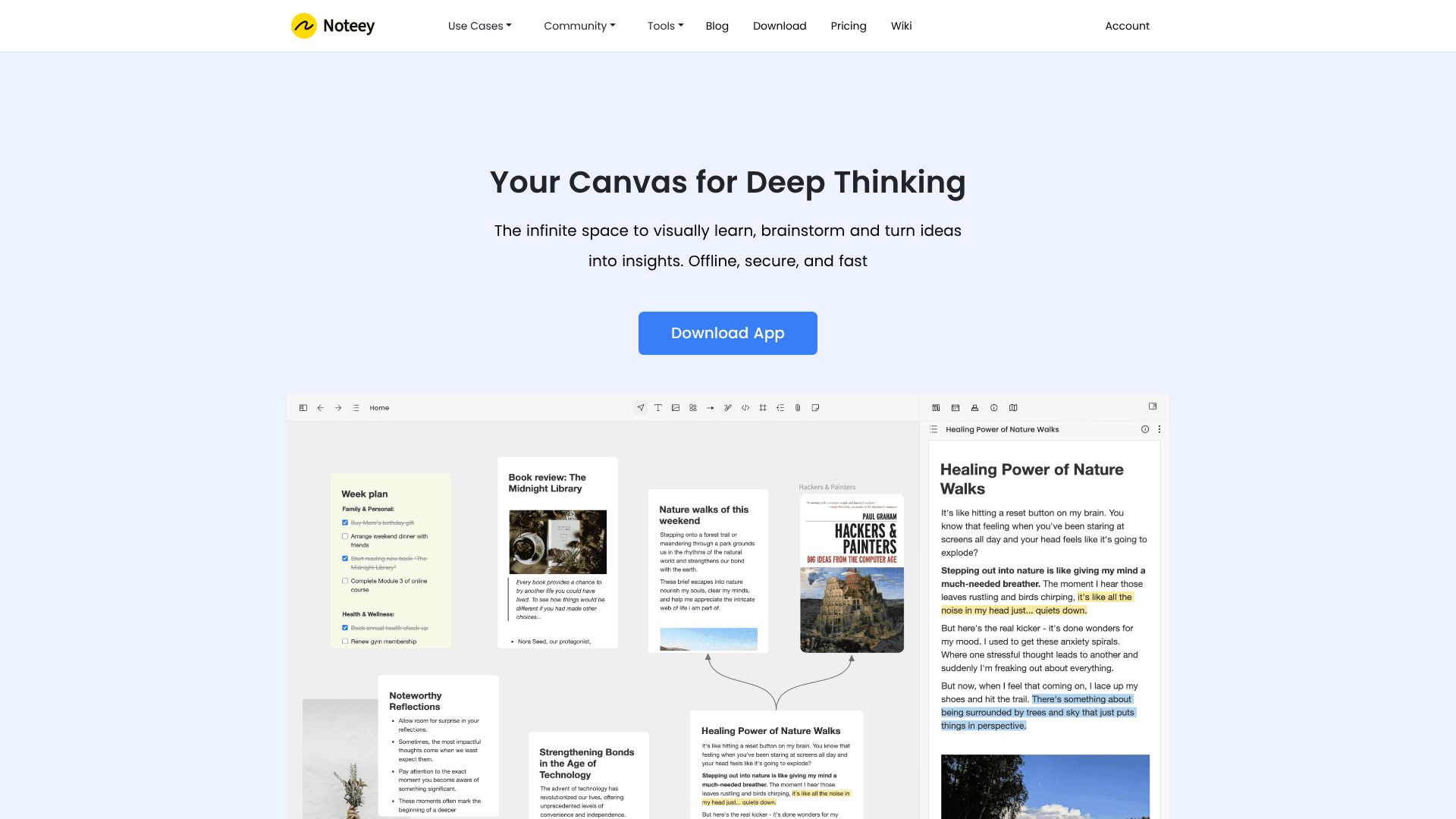
Noteey visual canvas interface with notes, PDFs, and mind maps

Features

Here is what Noteey truly offers based on its full capabilities:

  • Infinite Visual Canvas: Noteey provides a complete visual thinking space where text, images, sticky notes, PDFs, sketches, videos, mind maps, and web links all live together on one unified board. No fragmentation. Everything fits in one visual workspace.


WhispriNote
Compare plans and switch
See pricing or try the free YouTube-to-notes workflow before upgrading.
  • Offline-First & Secure: Noteey stores all data locally on your device. You can work fully offline, and you only need an account if you use premium cloud features. Your information stays private and accessible anywhere.

  • Local Backup & Sharing: You can save local copies of your projects and share them with others. They can open and edit these files on their own devices without restrictions.

  • Comprehensive PDF System: Search inside PDFs, highlight, annotate, and break long documents into visual cards for deeper understanding. This makes analyzing research material much easier.

  • Visual Knowledge Mapping: Turn documents, videos, and audio content into structured visual knowledge maps. Break down complex topics into digestible visual cards.

  • Timestamped Video & Audio Notes: Take notes while watching videos or listening to audio. Each note links directly to a timestamp, making it easy to revisit exact moments later.

  • Floating Windows: Review and annotate multiple PDFs, cards, videos, or audio files at the same time using floating windows. It feels like working on a multi-layered physical desk.

  • Drawing Tools: Sketch diagrams, flowcharts, and handwritten ideas. Convert rough thoughts into clean visual expressions.

  • Deep Linking: Every card and block has a unique link, enabling smooth connection between your Noteey workspace and other apps or documents.

  • Presentation Mode: Present your visual boards directly from Noteey without needing a separate slide tool. Showcase ideas in a clean, organized visual flow.

  • Build a Personal Knowledge Database: Add properties to cards, create multiple views, and structure your research visually. Your notes become a true knowledge system, not just static text.

  • Noteey Pricing

    Lifetime Desktop License

    Plan Price Includes Devices Key Features
    Free $0 Up to 3 projects, 100 cards, all visual creation tools, annotate 3 PDFs/videos - Basic usage
    Desktop Pro $99 Free plan + export/import, OCR, laser pointer, publish 20MB, unlimited local projects 4 devices One-time payment
    Desktop Pro Plus $159 Free plan + all Pro features, unlimited local projects 8 devices One-time payment

    Premium Cloud Plans

    Plan Price Includes
    Monthly Plan $10/mo Desktop Pro license, unlimited publishing, unlimited YouTube transcript, AI summarizer, priority support
    Yearly Plan $90/yr Same as Monthly, but discounted
    Lifetime Premium $599 All premium benefits, lifetime access


    Start free with WhispriNote

    Get WhispriNote - Start free with up to 5 notes.

    Turn lecture audio into structured notes and diagrams in minutes.

    Or continue on the WhispriNote web app.

    Tags:
    WhispriNote
    Noteey
    visual note taking
    ai note taking app
    comparison
    ← Back to All Posts