If you are searching Fireflies.ai pricing in 2026, you usually want three things:
- Free plan limits (minutes, storage, AI credits)
- Pro and Business cost per seat
- Billing rules (refunds and what happens when you cancel)
This guide is short, skimmable, and practical.
If you want a student-first note workflow, start with WhispriNote, then try YouTube-to-notes for fast video-to-notes conversion.
Quick pick (what most people choose)
- Free -> try it, but expect limits
- Pro -> best for solo users or small teams
- Business -> best when you want longer recordings and unlimited storage
- Enterprise -> best for admin or security needs (SSO and compliance)
Fireflies.ai plans (2026) - prices and what you actually get
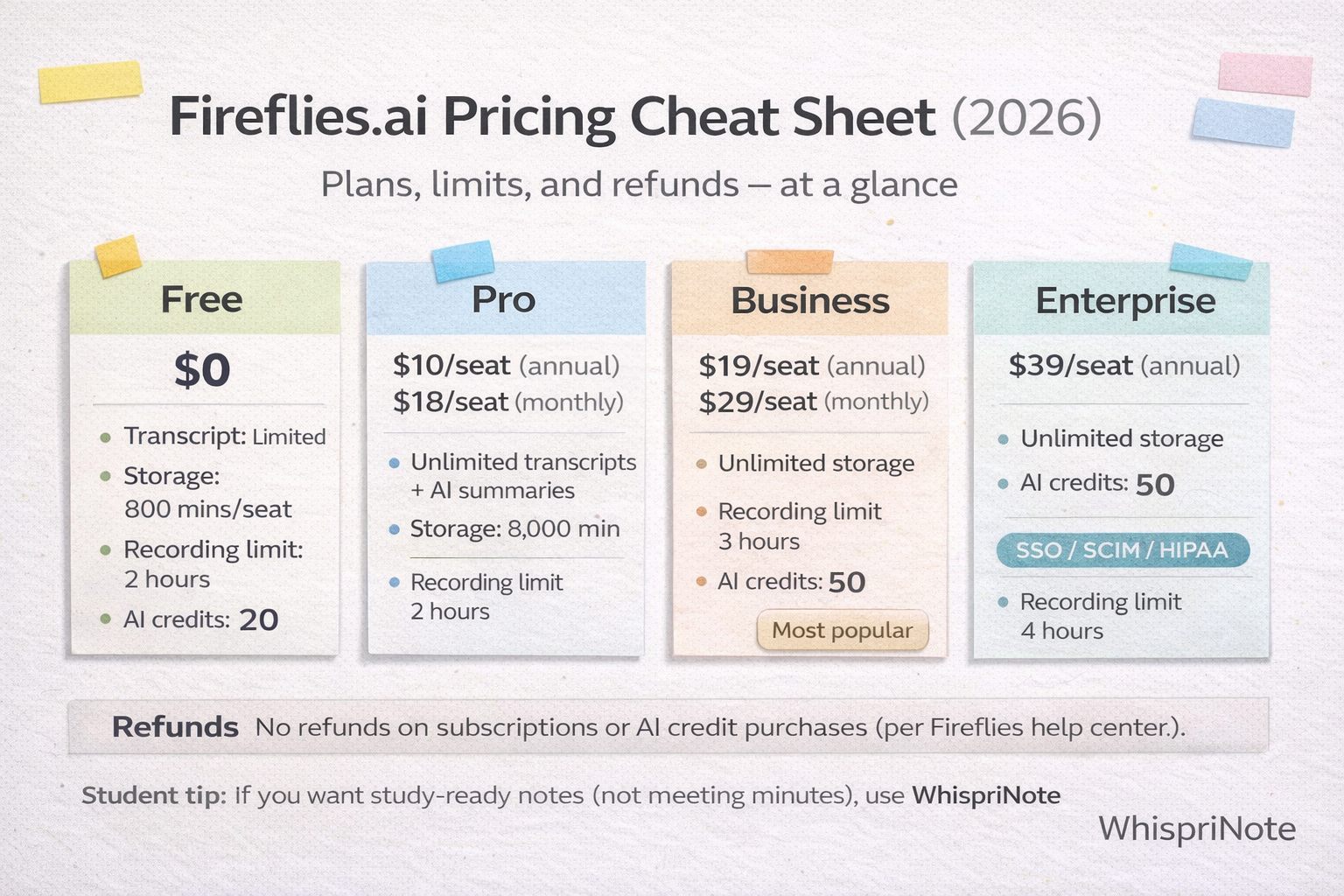
Free ($0)
Good for: testing the workflow.
Key limits to know:
- Transcript: limited (Free is not everything unlimited)
- Storage: 800 minutes per seat
- Recording limit: 2 hours
- AI credits: 20
- AI summaries: limited
If you are doing lots of long sessions, Free gets tight quickly because storage minutes become the bottleneck.
Pro (paid, per seat)
Good for: professional individuals and small teams.
Pricing shown on the official page:
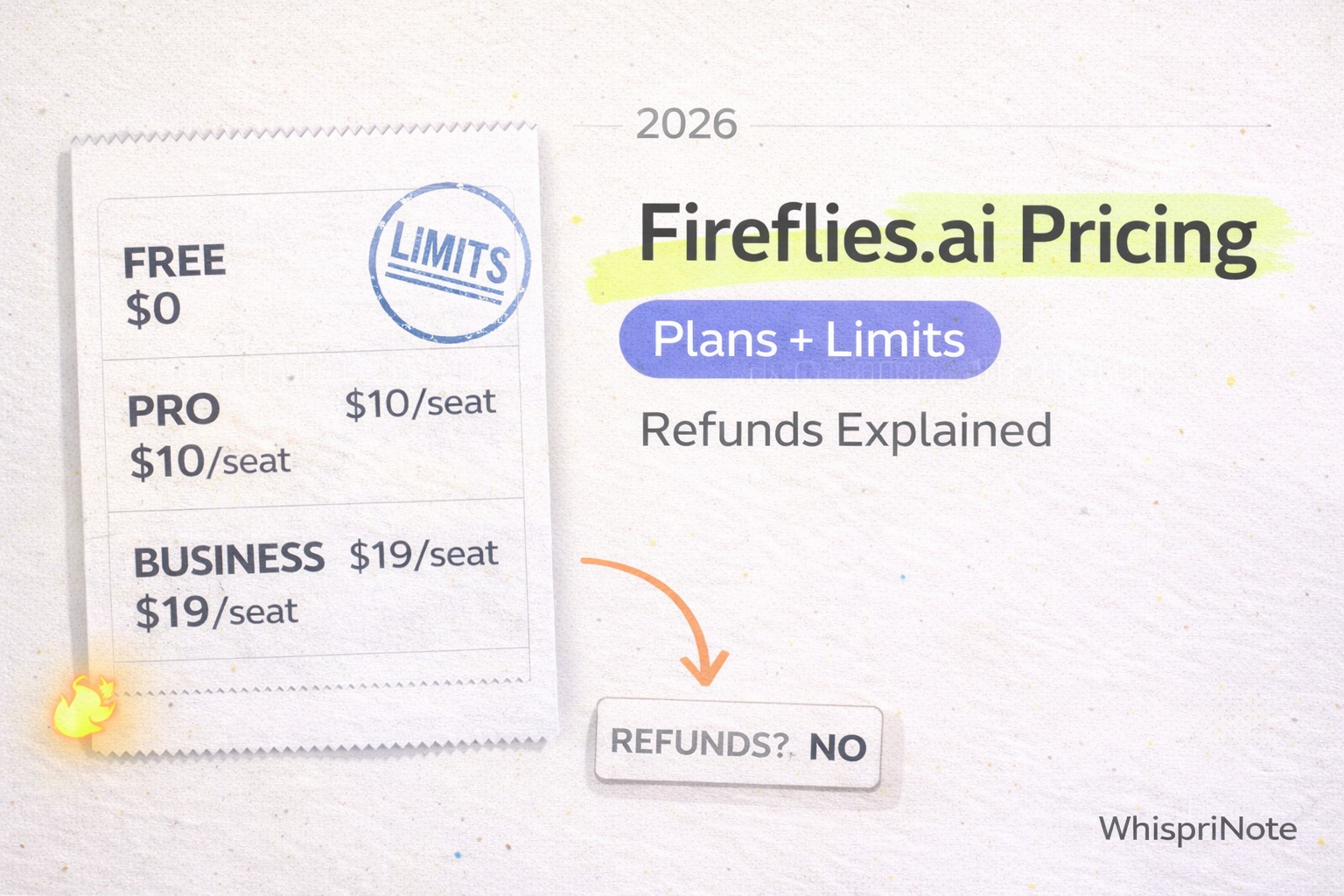
- $10 per seat per month billed annually
- $18 per seat per month billed monthly
Key limits:
- Storage: 8,000 minutes per seat
- Recording limit: 2 hours
- AI credits: 30
- Unlimited transcripts and AI summaries (as shown in their plan table)
Business (paid, per seat)
Good for: faster-growing teams and heavier usage.
Pricing shown on the official page:
- $19 per seat per month billed annually
- $29 per seat per month billed monthly
Key limits:
- Storage: unlimited
- Recording limit: 3 hours
- AI credits: 50
- Includes features like video recording (per their plan list)
Enterprise (paid, per seat)
Good for: security, compliance, and admin control.
Pricing shown on the official page:
- $39 per seat per month billed annually (listed as $39)
Key limits:
- Storage: unlimited
- Recording limit: 4 hours
- AI credits: 30
- Enterprise features (examples listed on the pricing page): SSO, SCIM, HIPAA, custom retention, private storage, and more
The limits that surprise people (read this before paying)
1) Storage is minutes per seat
Fireflies does not just cap meetings. It caps storage minutes on Free and Pro, so you may need to delete old meetings or upgrade when you hit the storage ceiling.
2) Recording limit is real
If you record long sessions, check the cap first:
- Free and Pro: 2 hours
- Business: 3 hours
- Enterprise: 4 hours
3) AI credits exist (even if summaries look unlimited)
Their plan table lists AI credits by plan. If you rely on deeper AI workflows, it is worth knowing your credit allotment.
Refunds (2026): simple answer
According to Fireflies help docs: they do not offer refunds on subscriptions or AI credit purchases.
If something looks wrong with billing, they recommend contacting support so they can review your account.