Struggling to focus in lectures while scribbling notes? Are you worried you're missing key concepts? You are not alone. The pressure to capture every word while also trying to understand complex topics is a major challenge for students.
You can get started by turning your lectures into organized study materials for free.
This is where AI lecture note takers come in. These are apps that record, transcribe, and summarize your lectures automatically. You get to focus on the class, and the AI handles the note-taking.
This guide covers everything you need to know about using AI for your lecture notes. We will look at how it works and review the best tools available.
What is an AI Lecture Note Taker & How Does it Work?
An AI lecture note taker is a software tool that listens to your class lectures and converts them into text. But it does not stop there. A good tool also identifies who is speaking, pulls out the main topics, and gives you a short summary of the entire lecture.
How does this happen? It uses a few core technologies.
- Speech-to-Text (STT): First, Speech-to-Text technology listens to the audio and writes down every word spoken. This creates a full transcript. Modern STT can understand different accents and filter out some background noise.
- Natural Language Processing (NLP): Second, Natural Language Processing reads that transcript. NLP is a type of AI that understands human language. It finds the main ideas, identifies key topics, and creates a short, readable summary.
Want to learn more about the technology? See our guide on how AI turns lectures into organized notes.
Why Every Student Needs an AI Note Taker
These tools offer more than just a transcript. They change how you learn. Here is why:
Improve Your Focus You can pay full attention in class. Stop worrying about typing or writing every single word. You can engage with the professor and ask questions. You can think about the material, knowing the AI is taking notes for you.
Save Massive Amounts of Time No more re-listening to 90-minute lecture recordings. You get instant summaries and key takeaways. Need to find when the professor mentioned "supply and demand"? Just search the transcript. You can find it in seconds. This makes studying for exams much faster.
Get Better Organization All your notes are in one place. They are searchable. You can easily find lectures from weeks or even months ago. No more lost notebooks or confusing digital folders. Your entire semester's worth of knowledge is organized and accessible.
Make Learning Accessible These tools make learning more accessible for everyone. A searchable text transcript is a benefit for any student who wants to review material more thoroughly.
This new way of studying is a big change. Learn more about why students are using AI for smarter note-taking.
Who Benefits Most from AI Lecture Notes?
While AI note takers help all students, they are extremely helpful for specific groups.
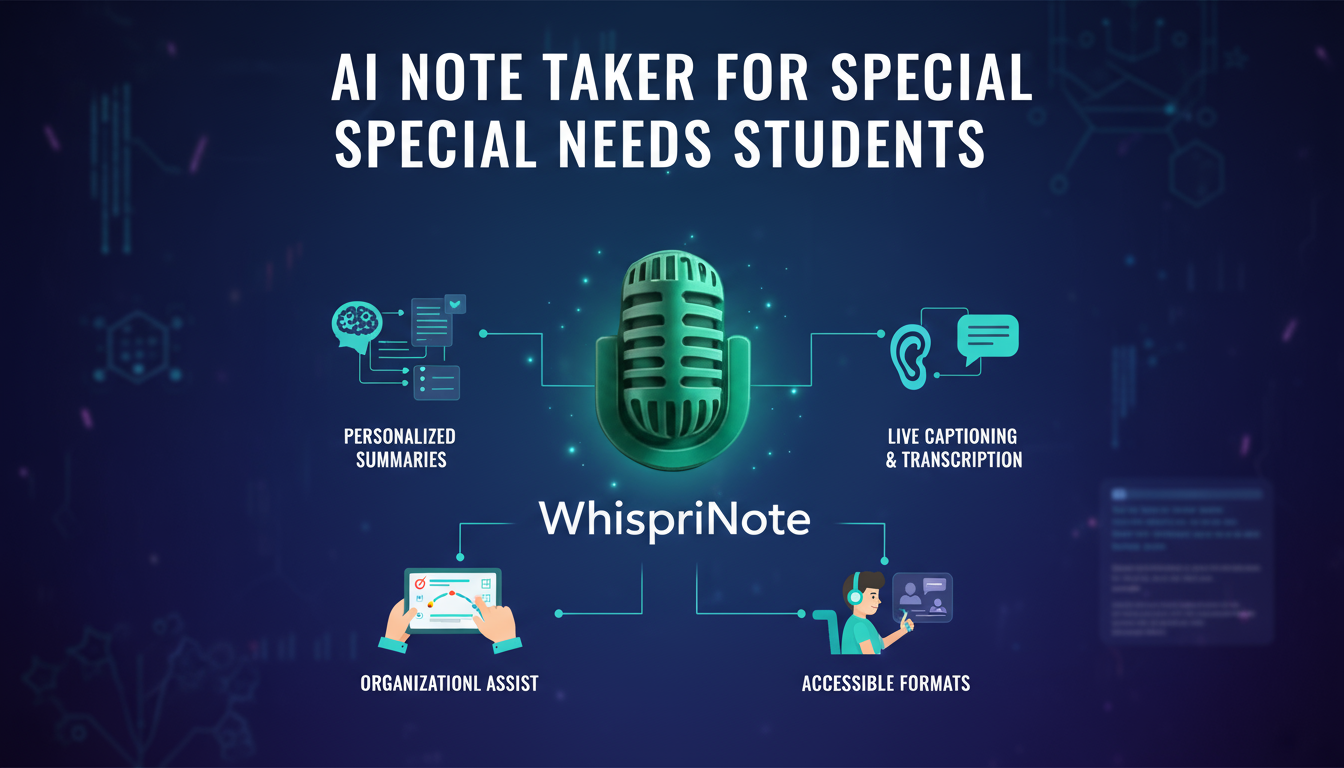
Students with Special Needs This is a very important tool for students with dyslexia, hearing impairments, or ADHD. A text transcript allows for review at one's own pace. Reading the information, rather than just hearing it, can be a massive help for comprehension.
ESL Students If English is your second language, a university lecture can move very fast. A text transcript lets you review complex terms and sentence structures. You can read and re-read the material to be sure you understood the professor correctly.
Students in Content-Heavy Courses Think about Law, Medicine, or STEM classes. These courses are full of dense information and specific terminology. An AI note taker captures every single detail, so you do not miss a single fact or definition.
Online Learners Online courses often involve many video lectures. An AI tool can process these videos, giving you transcripts and summaries. This lets you review the material much faster than re-watching the videos.
AI note-takers are a great accessibility tool. Read our full report on AI note-taking for special needs students.
Key Features to Look For in 2025
You are ready to pick a tool. What should you look for? Many tools look similar, but the details matter.
Let's break it down. Here is a checklist for your "buyer's guide."
Transcription Accuracy This is the most important feature. The transcript must be correct. A tool that makes too many mistakes is useless. Look for tools that handle different accents and background noise well.
Summarization Quality Does the tool create useful, concise summaries? A good summary captures the main points and action items, not just random sentences from the middle of the lecture.
Speaker Identification This is very useful. Can the tool tell who is speaking? It should label 'Professor' and 'Student' separately. This makes the notes much easier to read and understand.
Video & Audio Support Can it handle more than just a live recording? You will want a tool that accepts audio files (MP3, WAV) and, very importantly, video links (like YouTube).
Export Options How can you get your notes out? Look for options like PDF, TXT, or DOCX. This lets you use your notes in other programs or add them to your own study guides.
Search Functionality You must be able to find old notes easily. A good search function that scans your entire library of notes is essential for exam prep.
Many options are available. See our complete checklist of what to look for in an AI note-taking app.
Beyond the Lecture Hall: AI Note Taking for Videos and Voice
These tools are not just for live lectures. Their versatility is a major benefit.
For Video Content
Think about all the video you watch for school. You can use these tools for YouTube videos, documentaries, and online courses.
Just paste the link, and the AI creates notes, a transcript, and a summary. This is great for research or catching up on supplemental material.