If you are searching how to cancel Otter.ai subscription, you are usually trying to do one thing: stop auto-renew before your next charge.
This guide shows the exact steps for:
- Web (paid directly on Otter.ai)
- iPhone (App Store)
- Android (Google Play)
Official reference (one external link): Otter.ai cancellation guide
Quick answer (TL;DR)
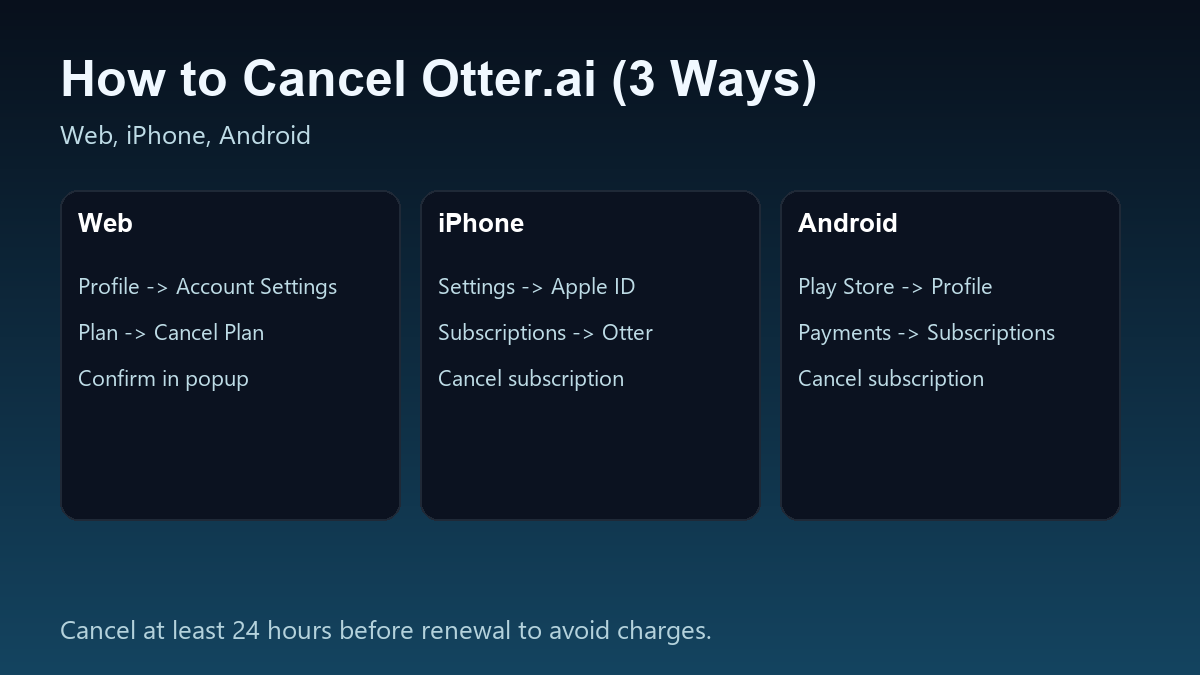
- Subscribed on Web: Profile -> Account Settings -> Plan -> Cancel Plan
- Subscribed on iPhone or Android: cancel in the same store you used to buy it (App Store or Google Play)
Otter subscriptions auto-renew unless you cancel, and Otter recommends canceling at least 24 hours before the next billing date.
Step 1: Confirm where you subscribed
This matters because you must cancel in the same place you paid:
- Otter.ai web billing -> cancel inside Otter account settings
- Apple App Store -> cancel inside Apple Subscriptions
- Google Play -> cancel inside Play Store Subscriptions
If you are unsure, open the Otter mobile app and look for Manage subscription (it may redirect you or show which method you used).
How to cancel Otter.ai subscription on Web (paid on Otter.ai)
- Sign in to Otter.ai (as the workspace admin or owner)
- Click your Profile (left navigation)
- Go to Account Settings -> Plan tab
- Scroll down and click Cancel Plan
- Confirm cancellation in the popup
After you cancel, the subscription should be set to expire at the end of the billing period (not immediately), and you can keep paid features until it expires.
How to cancel Otter.ai subscription on iPhone (App Store)
If you subscribed through the App Store, cancel it in Apple Subscriptions:
- iOS Settings
- Tap your Apple ID name at the top
- Subscriptions
- Otter -> Cancel Subscription
Important: uninstalling the Otter app does not cancel your subscription.
How to cancel Otter.ai subscription on Android (Google Play)
If you subscribed through Google Play:
- Open Google Play Store
- Tap Profile (top-right)
- Payments and subscriptions -> Subscriptions
- Otter -> Cancel subscription
What happens after you cancel?
Otter states:
- cancellation is not immediate
- your plan expires at the end of the current billing cycle
- after expiry, your workspace continues on the Basic plan
If you are in a workspace, note that members may have access limits on older conversations on Basic, so export anything critical before the paid period ends.

