If you are searching for NotebookLM alternatives for students, you are probably in one of these situations:
- You learn best from recorded lectures (in-class, Zoom, or voice memos)
- You study from YouTube videos (tutorials, exam reviews, lectures)
- You want clean notes you can review fast (not just a chat answer)
NotebookLM is great when your workflow starts with sources (documents, links, readings). But many students need a workflow that starts with audio + video, then turns that into organized, exam-ready notes.
Official NotebookLM site: NotebookLM.
Quick pick (based on student workflows)
- Best for lecture + video note taking: WhispriNote
- Best if you mostly study from PDFs/readings: NotebookLM (still strong)
- Best if you need live transcription: Otter-style tools
- Best if you want video summarizer workflows: Screen/video-first tools
What students should look for in a NotebookLM alternative
When the goal is grades (not just cool AI), prioritize:
- Capture-first inputs
- Record a lecture, upload audio, paste a YouTube link
- Structured notes (not paragraphs)
- Overview -> key concepts -> examples -> definitions -> exam prompts
- Fast review tools
- Voice Q&A, section jumping, highlights, quick exports
- Visual learning support
- Diagrams and mind maps for processes, systems, and relationships
- Student pricing + simple UX
- Easy enough to use daily (not a once-a-week tool)
The 7 best NotebookLM alternatives for students (2026)
Below are student-friendly options, especially if your studying starts with lectures and videos.
1) WhispriNote (best for lecture + video notes)
Best for: turning recordings + YouTube into structured notes you can review quickly.
Why students choose it
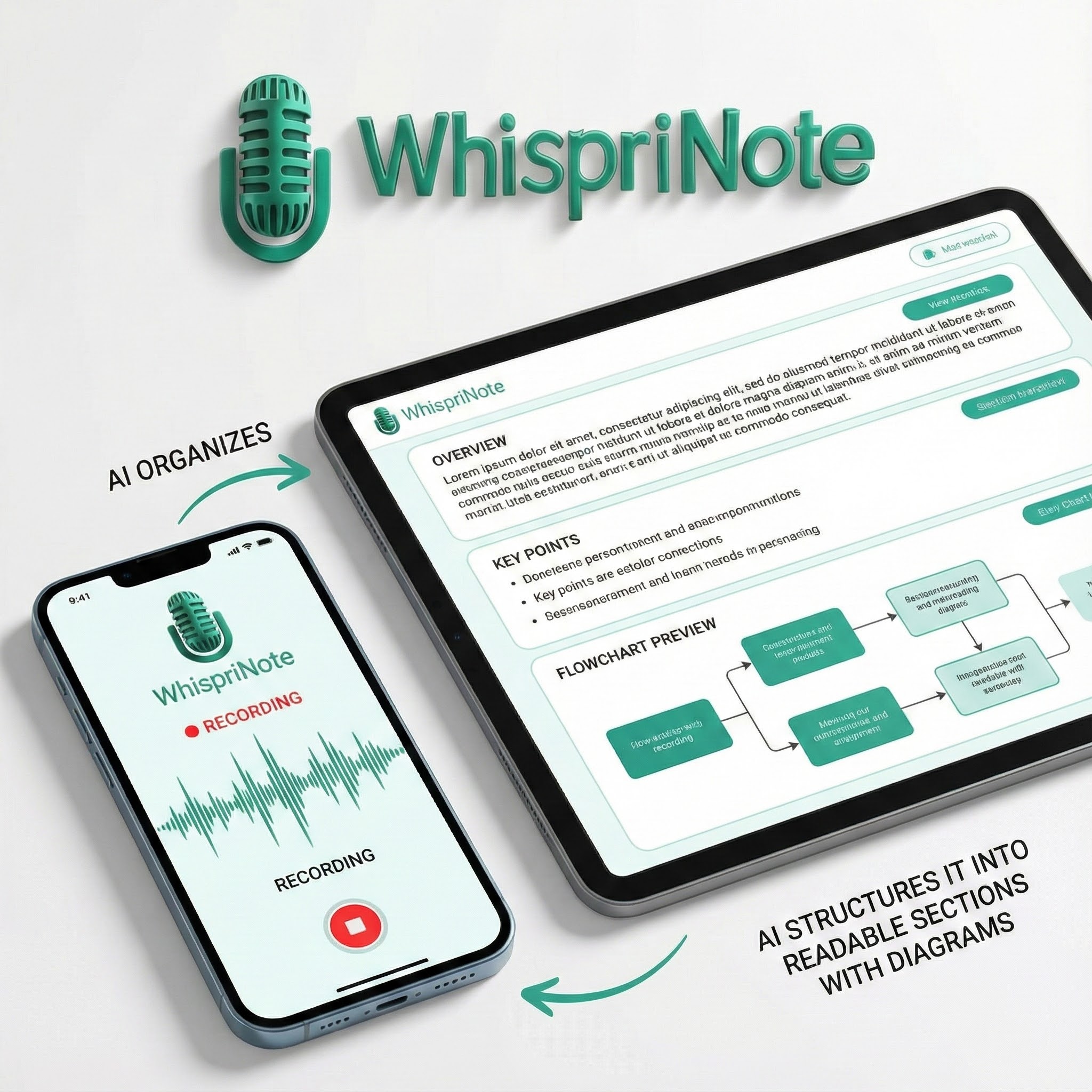
- Record lectures (or upload audio) and get organized notes
- Import YouTube videos and turn them into study-ready summaries
- Generates diagrams for concepts that are easier to understand visually
- Lets you ask questions by voice to review faster before exams
- Export and share notes when you are done
Ideal if you
- Learn from lectures, tutorials, and exam review videos
- Want study notes, not just a chatbot response

2) Mindgrasp (strong for study-pack style learning)
Best for: converting class materials + videos into study-friendly outputs.
Why students use it
- Popular with students who want a one-place study assistant
- Works well when you have multiple sources (slides, notes, video links)
Watch-outs
- Some tools focus more on study extras than clean note structure. Test it with your actual course content.
Official site: Mindgrasp.
3) Coconote (lecture-note workflow)
Best for: students focused on lecture capture and summaries.
Why students use it
- Designed around lecture-to-notes workflows
- Works well if your main problem is turning recordings into readable notes
Watch-outs
- Compare output structure and exports. Some apps summarize well but are harder to review.
Official site: Coconote.
4) Knowt (study workflows)
Best for: students who want a study-oriented approach.
Why students use it
- Often used alongside class notes and learning resources
- Better fit than research tools when you are focused on classes and exams
Watch-outs
- Some study tools emphasize specific formats. Make sure it matches how you actually revise.
Official site: Knowt.
5) Otter.ai (best for live transcription)
Best for: real-time transcription (live lectures, group study sessions).
Why students use it
- Great at capturing what was said
- Useful if you need a reliable transcript fast
Watch-outs
- Transcription is not the same as study notes. You may still need structure, key points, and diagrams.
Official site: Otter.ai.
6) ScreenApp (screen and video workflows)
Best for: turning screen recordings and videos into searchable notes.
Why students use it
- Useful when your studying is based on screen recordings, online classes, or tutorials
Watch-outs
- Video-first tools vary a lot in note quality. Check if it produces exam-ready structure.
Official site: ScreenApp.
7) Notta (transcription + summaries)
Best for: audio transcription and meeting-style summaries (also useful for lectures).
Why students use it
- Good for converting audio to text and quick summaries
- Helpful for review when you miss details
Watch-outs
- Like other transcription tools, the key is whether it creates clean study structure.
Official site: Notta.
Comparison table (student-focused)
| Tool | Best for | Audio/lecture capture | YouTube/video-to-notes | Structured notes | Visual diagrams |
|---|---|---|---|---|---|
| WhispriNote | Lecture + video studying | Yes | Yes | Yes | Yes |
| Mindgrasp | Study packs | Yes | Yes | Yes | Varies |
| Coconote | Lecture notes | Yes | Varies | Yes | Varies |
| Knowt | Study workflows | Varies | Varies | Yes | Varies |
| Otter.ai | Live transcription | Yes | Varies | Varies | No |
| ScreenApp | Screen/video workflows | Varies | Yes | Varies | No |
| Notta | Transcription + summaries | Yes | Varies | Varies | No |
Tip: If you study mostly from recordings, prioritize tools that start with audio or video and produce structured notes automatically.
How to pick the right alternative (fast decision guide)
Pick WhispriNote if you want:
- Lecture recording -> organized notes
- YouTube -> study notes
- Diagrams + voice review for fast exam prep
Pick a transcription-first tool (Otter or Notta style) if you want:
- Accurate transcript capture above everything else
Pick a source-first tool (NotebookLM style) if you want:
- Research workflows based on PDFs, readings, and curated sources
Step-by-step: replace NotebookLM with a student workflow (lecture + video)
Here is a simple daily routine that works for most students:
- Capture the class
- Record the lecture (or upload your audio after class)
- Turn it into study notes
- Generate structured notes with clear sections: key ideas, definitions, examples
- Add a YouTube explainer
- Paste a YouTube link (tutorial or review video) to reinforce the same topic
- Review out loud
- Use voice questions to test understanding quickly
- Export for revision
- Save as PDF or keep notes organized by course and week
FAQ: NotebookLM alternatives for students
What is the best NotebookLM alternative for lecture notes?
If your input is mostly lecture recordings, a capture-first tool like WhispriNote is usually the best fit because it is built around turning audio and video into structured notes quickly.
What is the best NotebookLM alternative for studying from YouTube videos?
Look for tools that support video-to-notes workflows and create structured output (headings, key points, definitions). WhispriNote and video-first tools can be strong depending on your style.
Is NotebookLM still worth using as a student?
Yes, especially if you study from documents and reading sources. But if you mostly study from lectures or videos, you will often be faster with a capture-first tool.
Do I need transcription or notes?
- Transcription = what was said (raw text)
- Notes = what matters for exams (structure, key ideas, examples)
For grades, most students benefit more from notes than transcripts.
Related reading (WhispriNote)
- Best YouTube to Notes Apps (Free + Paid)
- How AI Lecture Note-Takers Turn Lectures Into Organized Notes
- From Audio to Mind Maps: Turn Lecture Recordings into Visual Notes
- ChatGPT for Students vs AI Note Takers
Start free with WhispriNote
Get WhispriNote - Start free with up to 5 notes.
Turn lectures and videos into structured notes with diagrams in minutes.


Or continue on the web app.