Most bad lecture recordings are not ruined by the app. They are ruined by placement and settings.
This guide stays simple:
- best apps (based on what Android phone you have)
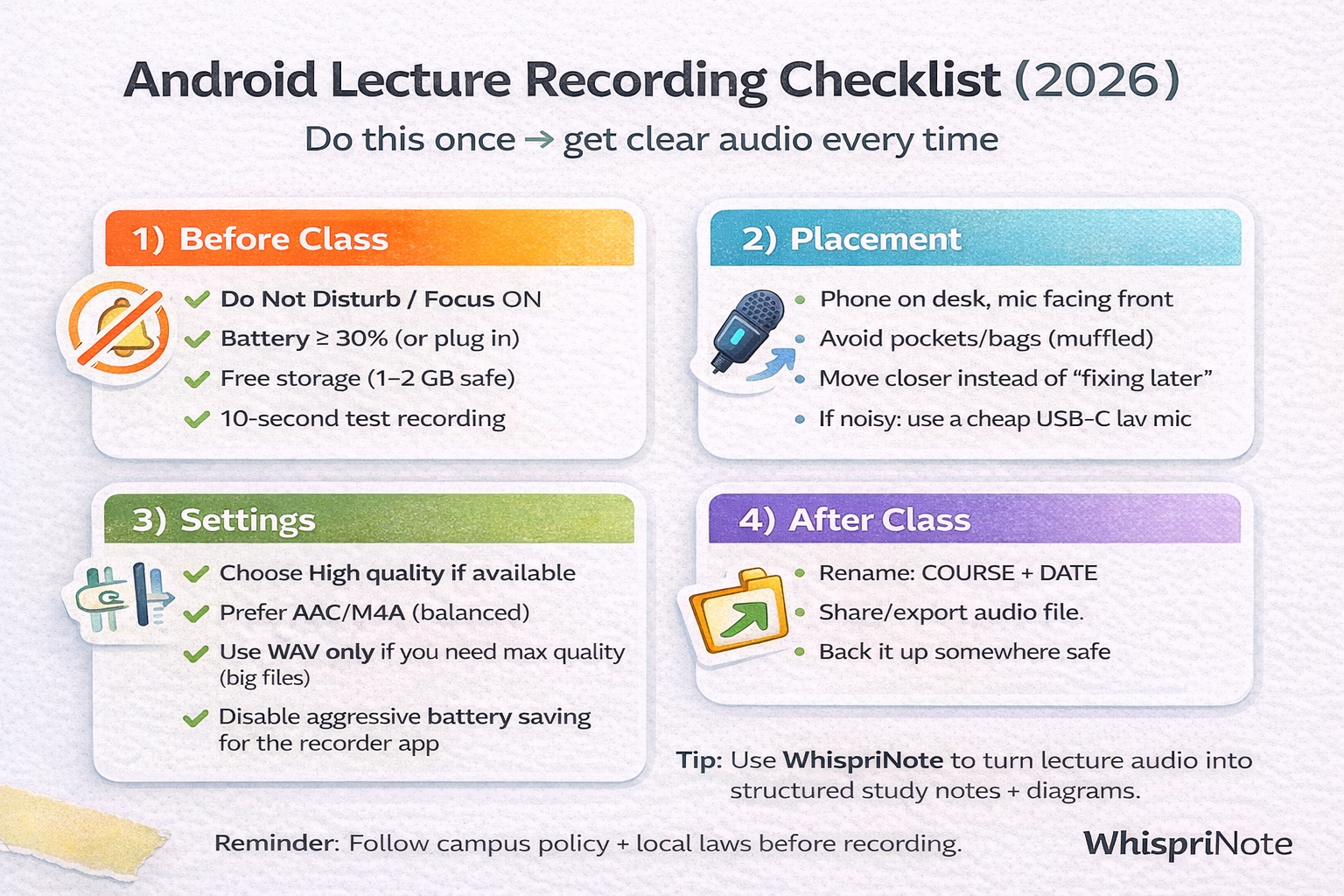
- a 60-second checklist that makes audio clear
- a practical WhispriNote workflow for turning recordings into study notes
Quick setup (do this before every class)
30 seconds before class:
- Turn Do Not Disturb on
- Put your phone on the desk (not in a pocket or bag)
- Do a 10-second test and replay it once
- Hit record and forget it
If you do only one thing: move the phone closer.
Audio quality checklist (save this)
Best apps to record lectures on Android (2026)
1) Your phone's built-in Recorder or Voice Recorder (best for most people)
Why it is great:
- already installed
- reliable
- easy export or share
If it has a Quality toggle, pick High (unless storage is tight).
Samsung note: many devices save as .m4a and may only show M4A options in settings. That is fine for studying.
2) Google Recorder (Pixel phones only)
If you have a Pixel, Google Recorder is a strong option with transcription and search features.
3) Dolby On (good in noisy rooms)
Dolby On focuses on noise reduction, EQ, and leveling. That can help in rooms with AC hum or constant background noise.
Quick WhispriNote option: turn lecture audio into structured notes and diagrams
Recording is step one. Studying is the real win.
WhispriNote can turn lecture audio into:
- structured study notes (headings, key points, summaries)
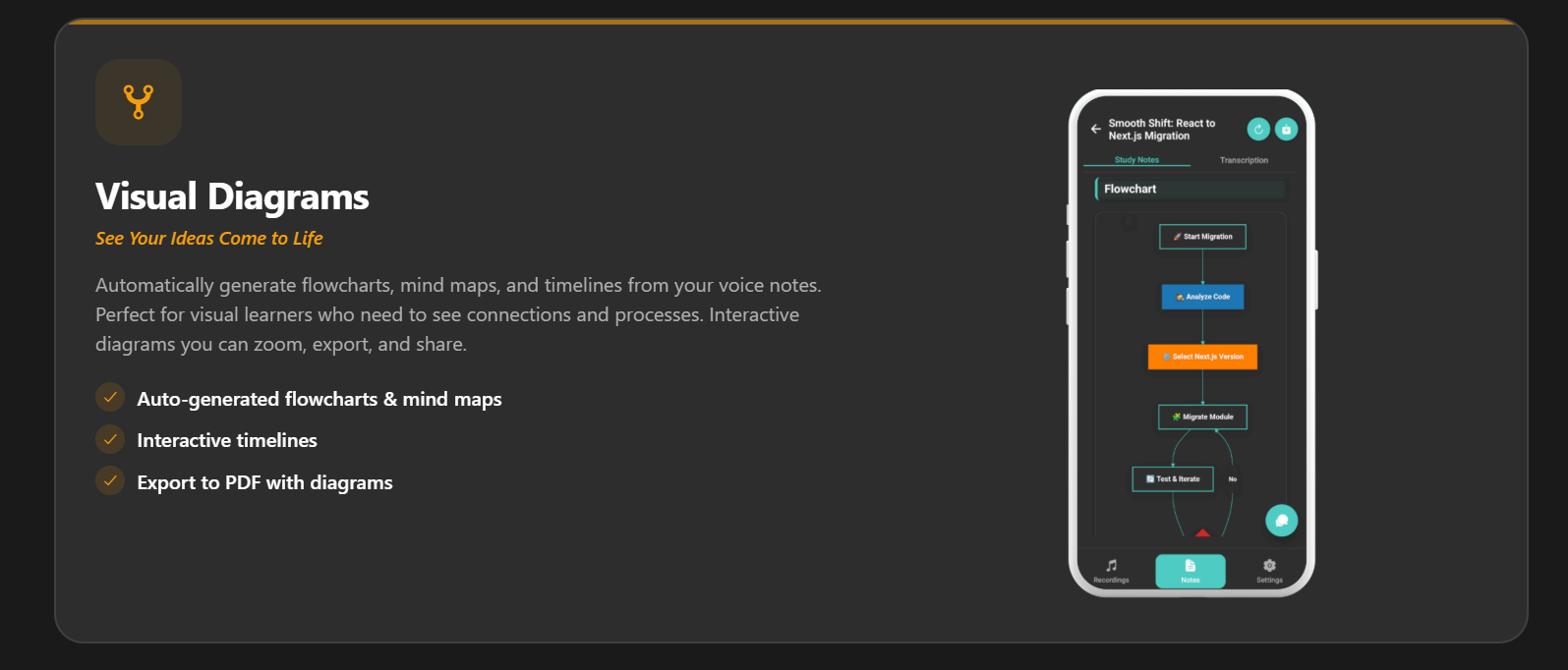
- visual diagrams (flowcharts, mind maps, timelines) for hard topics
Record in the app or upload your lecture audio, then generate structured notes and diagrams you can review fast.
WhispriNote can also generate visual notes that make complex topics easier to remember:

Best settings (simple, practical)
Choose a format like this (if your app lets you)
- AAC or M4A: best balance (quality and file size)
- WAV: highest quality, huge files (only if you truly need it)
- MP3: fine and compatible, but not always available in built-in recorders

