If you are searching Notta alternatives, you are probably in one of these situations:
- you need more minutes (Notta limits feel tight)
- you want a tool that is better for classes (not meetings)
- you do not just want a transcript, you want study notes you can learn from
This guide is student-first: simple tradeoffs and a quick way to pick.
Note on accuracy: competitor features change. Summary based on public info from competitor sites as of Dec 2025.
Quick verdict (pick in 10 seconds)
- Best overall for students (lecture -> study pack): WhispriNote
- Best for live transcription and searchable notes: Otter
- Best for online classes in your browser: Tactiq
- Best if you also need to edit audio or video: Descript
- Best for uploading files and exporting formats: Sonix
- Best when you need maximum accuracy (including human options): Rev
- Best for accessibility-focused note workflows: Genio (Glean)
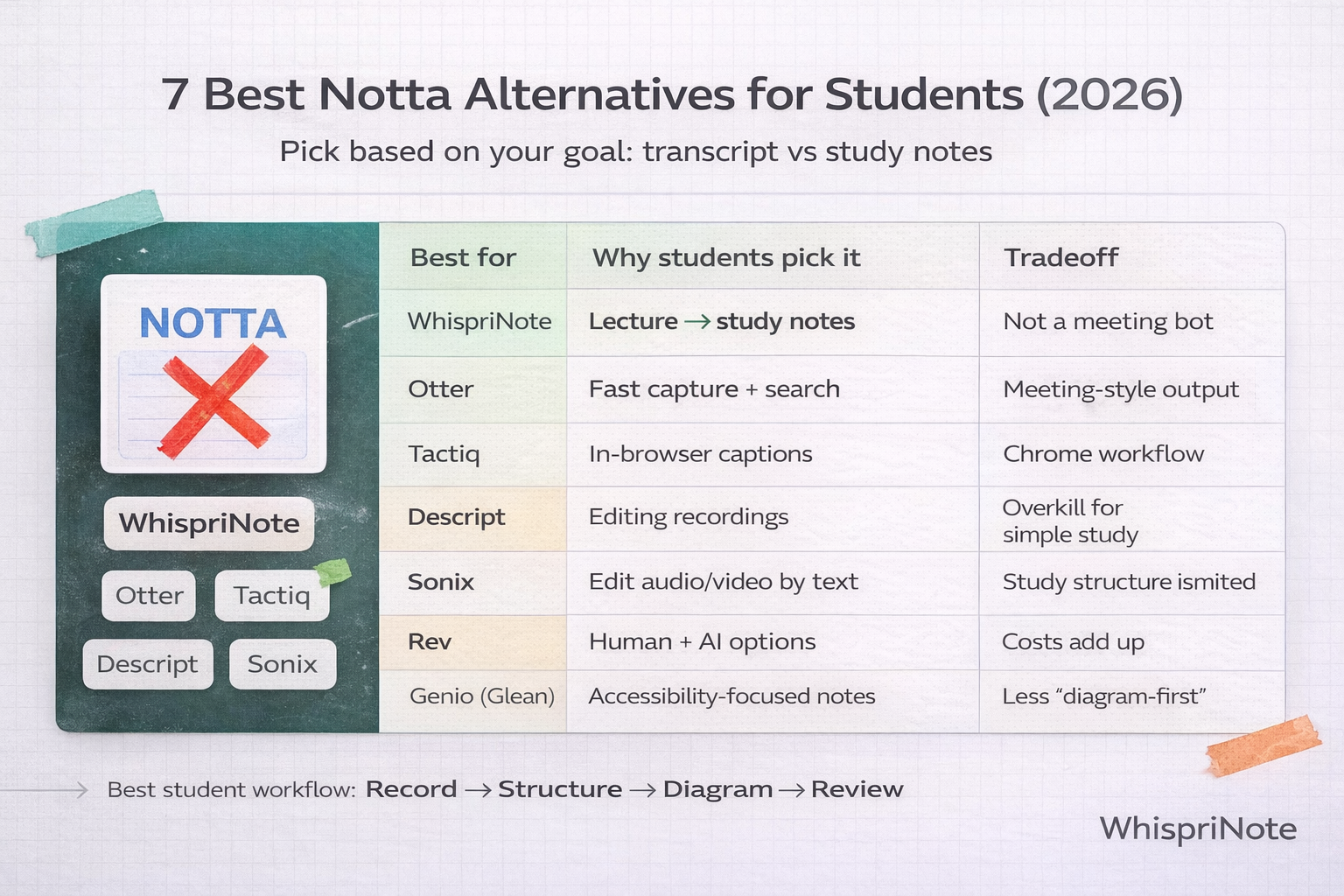
At-a-glance comparison (student view)
| Tool |
Best For |
Inputs |
Outputs |
Student Fit |
| WhispriNote |
Study-ready notes |
Audio or video |
Structured notes + visuals |
Study-first |
| Otter |
Live transcription |
Meetings and audio |
Transcript + summary |
Transcript-first |
| Tactiq |
Online classes |
Browser meetings |
Captions + notes |
Online-first |
| Descript |
Editing recordings |
Audio or video |
Transcript + editor |
Creator-first |
| Sonix |
File uploads |
Audio or video |
Transcript + exports |
Transcript-first |
| Rev |
Highest accuracy |
Audio or video |
Transcript |
Accuracy-first |
| Genio (Glean) |
Accessibility workflows |
Lecture capture |
Guided notes |
Support-first |
The student problem with meeting transcription apps
Most Notta-style tools are built for meetings, so they optimize for:
- action items
- follow-ups
- speaker labels
- business integrations
Students usually need something different:
- clean topic structure
- definitions
- examples
- diagrams for processes
- fast review before exams
That is why a good transcript is not the same as good studying.
The 7 best Notta alternatives for students (ranked)
1) WhispriNote (best overall for studying)
If your goal is learning, not archiving a transcript, WhispriNote is built around the student workflow:
What you do:
- record your lecture or upload audio
- get structured notes that are readable
What you get:
- organized study notes (not a wall of text)
- visual diagrams (flowcharts, mind maps, timelines)
- voice chat review so you can quiz yourself on your own lecture
Why it beats most Notta alternatives for students: it is optimized for understanding and recall, not meeting minutes.
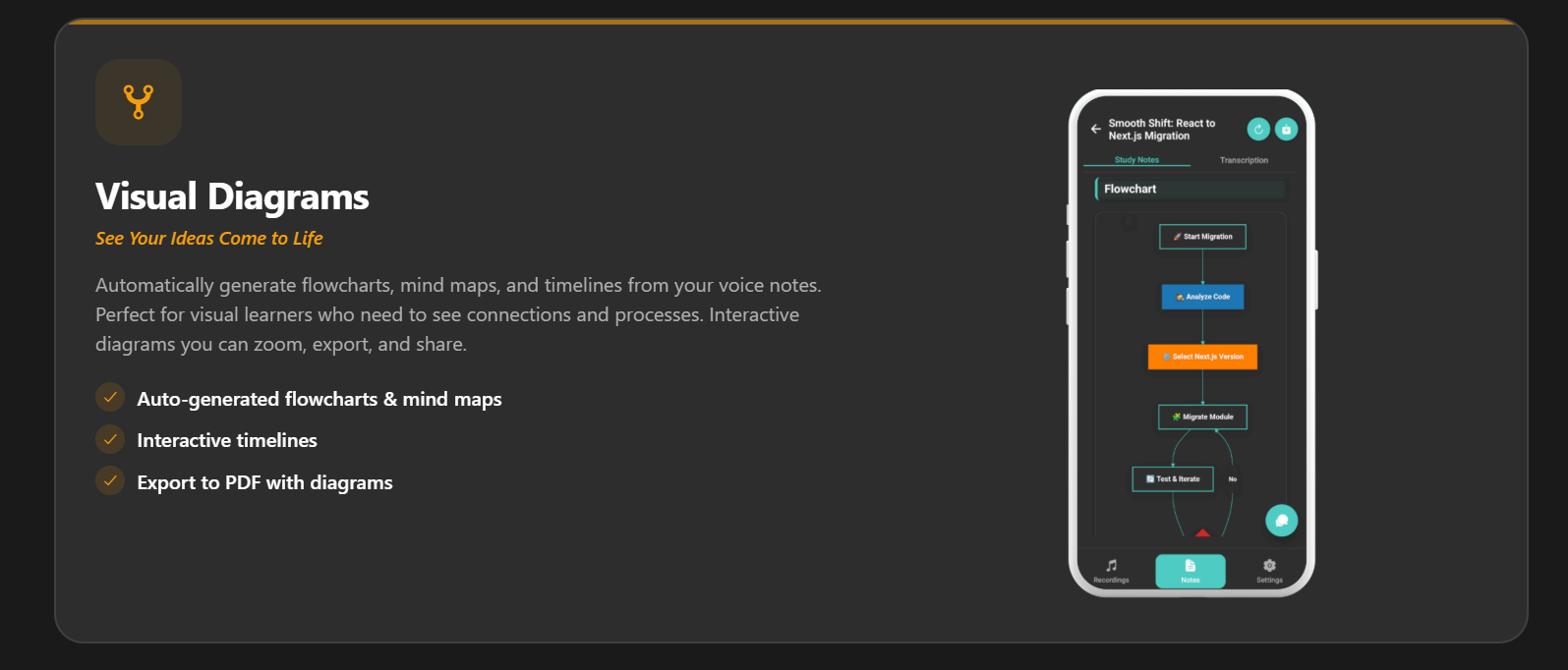
Visual notes help you see relationships at a glance.
2) Otter (best for live transcription)
Pick Otter if you want:
- fast live capture
- searchable transcripts
- a familiar meeting notes style
Tradeoff: it is optimized for transcription and summaries, not study structure.
3) Tactiq (best for online classes)
Pick Tactiq if most of your classes are:
- Google Meet, Zoom, or Teams
- and you want in-browser captions and transcripts
Tradeoff: it is a browser workflow. Great for online classes, less ideal for in-person lectures.
4) Descript (best for editing recordings)
Pick Descript if you:
- record presentations
- edit interviews or podcasts
- want text-based audio or video editing
Tradeoff: for pure studying, it can feel heavy. It is a creator tool first.
5) Sonix (best for file transcription and exports)
Pick Sonix if you:
- have lots of audio or video files
- care about export formats and transcript editing
Tradeoff: it will not feel study-first unless you build your own structure after transcription.
6) Rev (best when accuracy matters most)
Pick Rev if you:
- need high accuracy
- want the option of human transcription or captions
Tradeoff: costs can add up fast if you transcribe lots of lecture hours.
7) Genio Notes (Glean) (best for accessibility-focused workflows)
Pick Genio (Glean) if you want:
- a guided learning note process
- accessibility-friendly lecture capture and review
Tradeoff: if your study style is diagram-first, you may still want a tool that outputs visuals automatically.
How to choose (simple checklist)
Choose a transcript-first tool if you mainly need:
- captions or transcripts for accessibility
- basic searchable text
- occasional summaries
Choose WhispriNote if you mainly need:
- structured study notes
- visual understanding (flowcharts and mind maps)
- faster exam review without rereading transcripts
Pricing snapshot (as of Dec 2025)
Most tools offer monthly and annual plans, often with free tiers or trials.
Human transcription options are usually the most expensive.
If you want Notta plan specifics, see: Notta pricing (2026).
FAQ
Is there a best Notta alternative for students?
If you mostly want a transcript, Otter, Sonix, or Rev are common picks.
If you want study-ready notes and diagrams, WhispriNote is the most direct fit.
What if my professor posts lecture videos on YouTube?
Use a tool that can turn a YouTube lecture into structured notes. That is one of the fastest study workflows.
Yes. Many students do:
- transcript tool (capture) + study tool (structure + diagrams)
If you want one end-to-end study workflow, start with WhispriNote.
Official Notta page
Start free with WhispriNote
Get WhispriNote - Start free with up to 5 notes.
Turn lecture audio into structured notes and diagrams in minutes.
Or continue on the WhispriNote web app.
Keep Learning
Explore more articles on our blog.
Last updated: 2025-12-26 - Reading time: ~7 minutes