If you want to cancel Kiwinote subscription (or a Kiwinote free trial) and stop future charges, the key detail is this:
Most Kiwinote subscriptions are billed through Apple (App Store) or Google (Play Store).
So you cancel it there, not by deleting the app.
Quick win: after you cancel, you usually keep access until the end of the current billing period.
If you are canceling because you want a study-first workflow, WhispriNote focuses on structured notes and visuals.
Fast checklist (before you cancel)
- Use the same Apple ID or Google account you used to subscribe
- Cancel at least 24 hours before renewal (safe buffer)
- If you want to keep your notes, export or download anything you need before the period ends
Visual guide (platform steps)
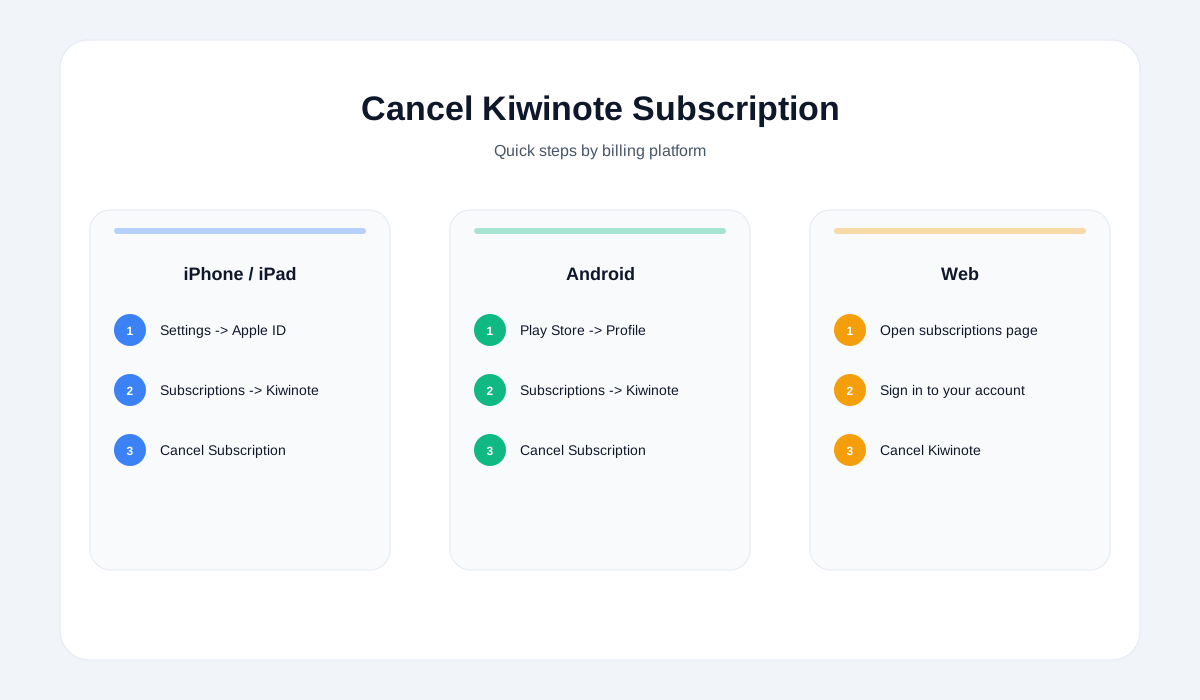
How to cancel Kiwinote on iPhone or iPad (App Store)
- Open Settings
- Tap your name (Apple ID)
- Tap Subscriptions
- Find Kiwinote
- Tap Cancel Subscription (or Cancel Free Trial)
- Confirm
Cannot see Cancel?
- You may already be canceled
- Or you might be on a non-renewing plan (rare for apps)
- Or you are signed into the wrong Apple ID (see troubleshooting below)
How to cancel Kiwinote on Android (Google Play)
- Open the Google Play Store
- Tap your profile icon
- Tap Payments & subscriptions -> Subscriptions
- Select Kiwinote
- Tap Cancel subscription
- Follow the prompts to confirm
How to cancel Kiwinote on the web (no phone needed)
If you subscribed through a store, you can cancel from your account on:
- Apple subscriptions (web)
- Google Play subscriptions (web)
Tip: This is also the easiest method if you no longer have the device you subscribed on.
How to confirm Kiwinote is actually canceled
After canceling, confirm one of these:
- The subscription shows Expires on [date] (not Renews on)
- The status shows Canceled but still active until period end
- You received a cancellation confirmation email or receipt
If you still see a renewal date, it is probably not canceled.
If you were charged and want a refund
Refund rules depend on where you subscribed.
If you subscribed via Apple (App Store)
- Refund requests are handled by Apple (not the app)
- If the charge is pending, you may need to wait for the receipt to appear before requesting
If you subscribed via Google Play
- Refund options depend on timing and policy
- You may be able to request a refund via Google, or contact the developer if eligible
Practical tip: Take a screenshot of the charge and the active subscription screen before requesting a refund.