You recorded the lecture. That was a smart move.
But now you have a problem. You have a 90-minute audio file sitting on your phone. You do not know where the professor talked about the midterm. You do not know when they defined that complex theory.
The audio is a "black box." To find one fact, you have to listen to the whole thing.
This is why many recordings go unused. Students dread the idea of scrubbing through hours of audio.
But what if you could turn that recording into text instantly? What if you could search your audio just like you search a Google Doc?
You can. This guide explains how to move from audio to text and turn your recordings into a study superpower.
You can get started here on whisprinote.
The "rewind and replay" Trap
Listening to a lecture twice is rarely a good use of time.
People speak much faster than you can write. The average professor speaks at about 150 words per minute. The average student types at only 40 words per minute.
If you try to transcribe a recording manually, you will struggle. You will pause. You will rewind. You will type. A one-hour lecture becomes a three-hour ordeal.
This kills your motivation. It turns studying into a chore.
Here is the better way:
Use technology to do the heavy lifting. Modern tools generate ai transcripts in minutes. They turn spoken words into written notes.
This lets you skip the busy work. You can focus on learning the material instead. Learn more about why students are using AI for smarter note-taking.
Meet Whisprinote: Your Study Assistant
Finding the right tool makes all the difference. That is where Whisprinote comes in.
We built Whisprinote specifically for students who handle a lot of information. Unlike generic transcription tools, Whisprinote understands academic context. It captures your audio - whether from a live lecture, a Zoom meeting, or a YouTube video - and transforms it into a smart study guide.
You get more than just text. You get structured summaries, visual mind maps, and a searchable library of every class you have ever attended. It's like having a dedicated note-taker sitting in class with you, ensuring you never miss a detail.
How Audio to Text Works
You might think of "dictation." This is different.
Dictation tools require you to speak slowly and clearly. Lecture capture tools are built for the real world. They handle:
- Fast speakers
- Background noise
- Different accents
- Technical jargon
When you use an audio to text tool, the software scans the sound waves. It matches sounds to words. Then, it uses context to fix errors.
The result is a complete written record of your class.
Step-by-Step: Turning Audio into Searchable Notes
Getting a transcript is simple. You do not need technical skills.
Step 1: Capture the Audio You can record directly in an app or use your phone's default voice recorder. If you have a video file, that works too.
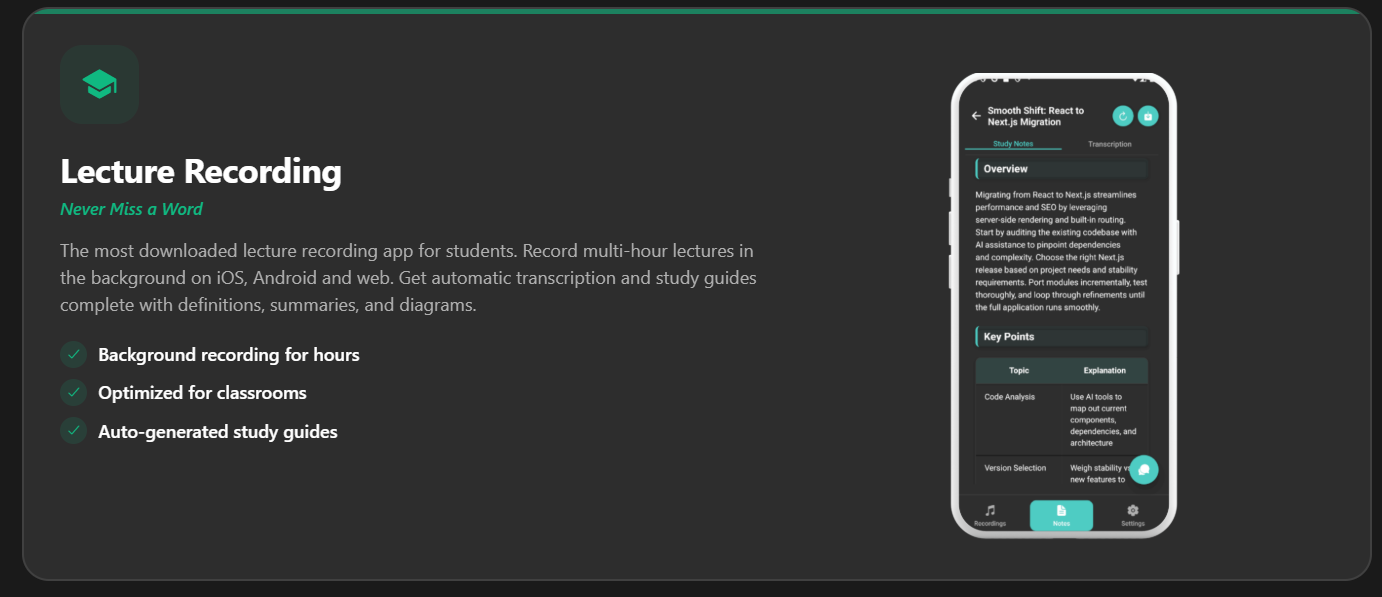
Step 2: Upload to an AI Tool Take your file and import it into a note-taker like Whisprinote. The AI begins processing immediately.
Step 3: Get Your Transcript and Summary In a few minutes, the text appears. But good tools go further. They do not just give you a wall of text. They organize it. You get a summary of main points, key topics, and action items.
Step 4: Search and Review
This is the game changer. Do you need to know about "mitochondria"? Press Ctrl+F (or use the search bar). Type the word. The tool takes you to the exact second the professor said it.
This method works for live classes and online content. You can even extract text from video effortlessly.
Why Searchable Text is a Study Hack
Searchable text saves you hours of time.
Review Faster You do not need to re-listen to a whole lecture. You scan the text. You read the summary. You find the weak spots in your knowledge.

