YouTube lecture notes should feel like a study guide, not a messy transcript. If you have ever paused a 90-minute lecture every 20 seconds just to type, you already know the pain. The goal is YouTube video to notes that you can review fast and actually remember.
The faster approach is to convert YouTube lectures to notes, then shape those notes into review-ready sections. If you want the fastest start, use the free YouTube to Notes page.
You can also generate notes instantly with WhispriNote on web, iOS, or Android. Start on WhispriNote and turn any lecture into structured notes in minutes.
What great YouTube lecture notes include
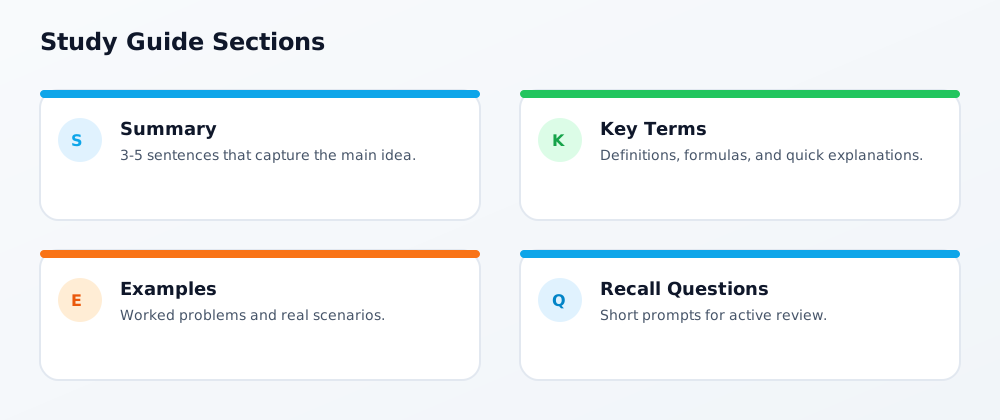
Good lecture notes are easy to scan and easy to review. Aim for:
- A short summary that explains the main idea in 3-5 sentences.
- Clear section headers that mirror the lecture topics.
- Key terms with quick definitions.
- Examples or formulas pulled from the video.
- Timestamps so you can jump back to the exact moment.
WhispriNote note layout (actual app format)
WhispriNote notes are structured into consistent sections so you can scan and review faster:
- Title
- Slogan (one-line benefit)
- Overview
- Key Points (table)
- Flowchart
- Summary (table)
- Timelines (only when the content is chronological)
- Detailed Explanation
- Mind Map
- Conclusion
- Next Steps
For diagram samples, see YouTube Video Summary to Notes.
The fastest workflow for YouTube lecture notes
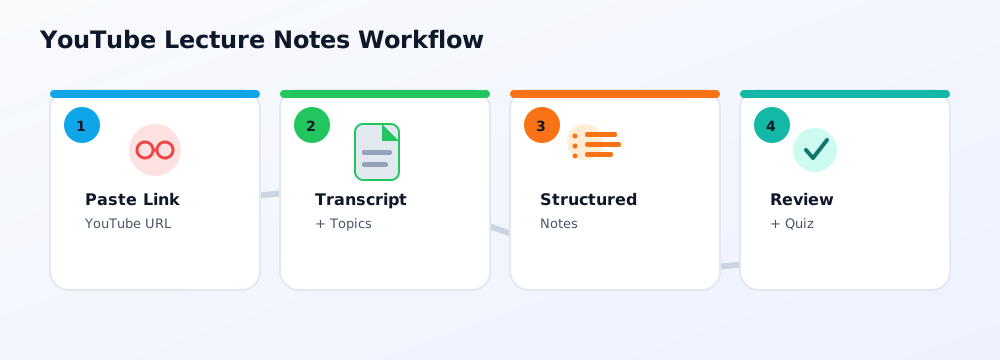
Use this simple 5-step flow to turn any video into a clean study guide. This YouTube to notes workflow works for lectures, tutorials, and conference talks:
- Copy the YouTube link.
- Generate a transcript and topic outline.
- Group points into sections (definitions, examples, steps).
- Add timestamps for each section.
- Export and review as a PDF or in your notes app.
Turn notes into a real study guide
A study guide is not just notes. It is a structured review plan. Two fast ways to do this:
- Cornell format: Put questions and keywords in the cue column and the detailed notes on the right. We break this down in Cornell Notes from YouTube Videos.
- Summary to revision sheet: Start with a short summary and expand it into definitions, examples, and recall questions. See YouTube Video Summary to Notes.
Mistakes that make YouTube lecture notes hard to read
- Copying the full transcript without structure.
- Skipping timestamps, which makes review slow.
- Mixing multiple topics in one giant paragraph.
- Not turning key points into questions for active recall.
If you want a manual method first, see how to take notes while watching YouTube videos.
Features that matter in a YouTube lecture notes tool
The best tools do more than transcribe. Look for:
- Accurate transcription for technical subjects.
- Automatic summaries and topic grouping.
- Visual aids like flowcharts or mind maps.
- Export options like PDF and shareable links.

