Short answer: Zoom Webinar transcripts come from cloud recordings with audio transcription enabled. Hosts can download the VTT file from the Zoom web portal. Attendees usually need the host to share it.
Quick verdict (2026)
- Hosts can download transcripts from Recordings > Cloud Recordings.
- Attendees usually cannot download unless the host shares the file.
- If transcripts are missing, check transcription settings and processing status.
- For longer videos, visual notes, PDF exports, and voice chat with your notes, check pricing.
At a glance
| Role | Best path |
|---|---|
| Host or admin | Enable transcription, then download VTT |
| Attendee | Ask host to share the transcript |
| No transcript | Check settings or reprocess recording |
Step 1: Enable transcript for Zoom Webinar (host)
If you are the host, make sure audio transcription is enabled before the webinar:
- Go to Zoom web portal > Settings.
- Turn on Cloud recording.
- Enable Audio transcript (or Save captions).
Without this, Zoom will not generate a transcript.
Step 2: Download the webinar transcript (host)
- Open Zoom web portal > Recordings.
- Select the webinar recording.
- Look for Audio Transcript or VTT.
- Download the .vtt file.
If you need a clean TXT file, open the VTT in a text editor and remove timestamps.
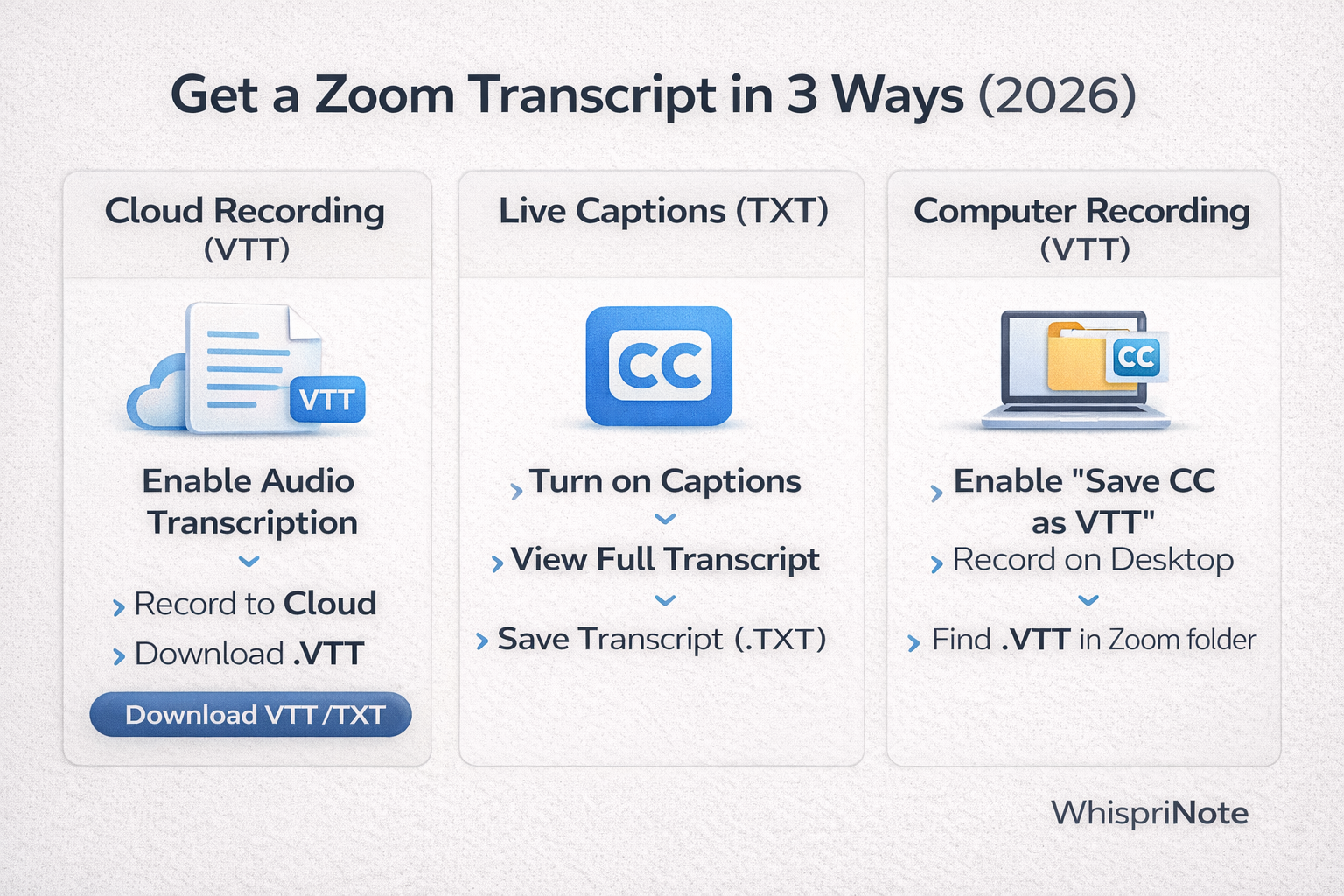
Webinar transcripts live under Cloud Recordings in the Zoom portal.
Step 3: If you are an attendee, request the transcript
Zoom does not always let attendees export transcripts. Ask the host to:
- Share the VTT file, or
- Share the recording link with transcript enabled.
Fixes when the Zoom Webinar transcript is missing
Common causes:
- Transcription was not enabled before the webinar.
- Recording is still processing (wait and refresh).
- Audio transcript setting is off in the account.
- Cloud recording is disabled on your plan.
If this happens, you can still download the recording and transcribe it with another tool.
Turn a Zoom Webinar transcript into study notes
Once you have the transcript:
- Add section headings.
- Summarize each section into 3 to 6 bullets.
- Create visuals for complex topics in WhispriNote (mind maps, flowcharts, timelines).
To generate visuals, paste the transcript into WhispriNote and create them there (requires a WhispriNote account).

Mind maps generated in WhispriNote group webinar topics by theme.

